
How to Manage Animals
Add and track individual animals — identification, status, and lifecycle.
How to Manage Animals
The Animals section tracks individual animals (or groups) on the farm — distinct from livestock entities, which are templates.
Add an animal
- Click Stock in the sidebar, then the Animals tab.
- Click Add Animal (top right).
- Fill in the form:
- Tag / Identifier — required. Ear tag number, name, or other unique ID.
- Entity — links to a livestock entity (e.g.
Layer Hens,Dairy Cow). - Sex — male / female.
- Date of Birth or Acquisition Date.
- Source — born on farm, purchased, transferred.
- Status — active, sold, deceased, etc.
- Save.
Animal detail page
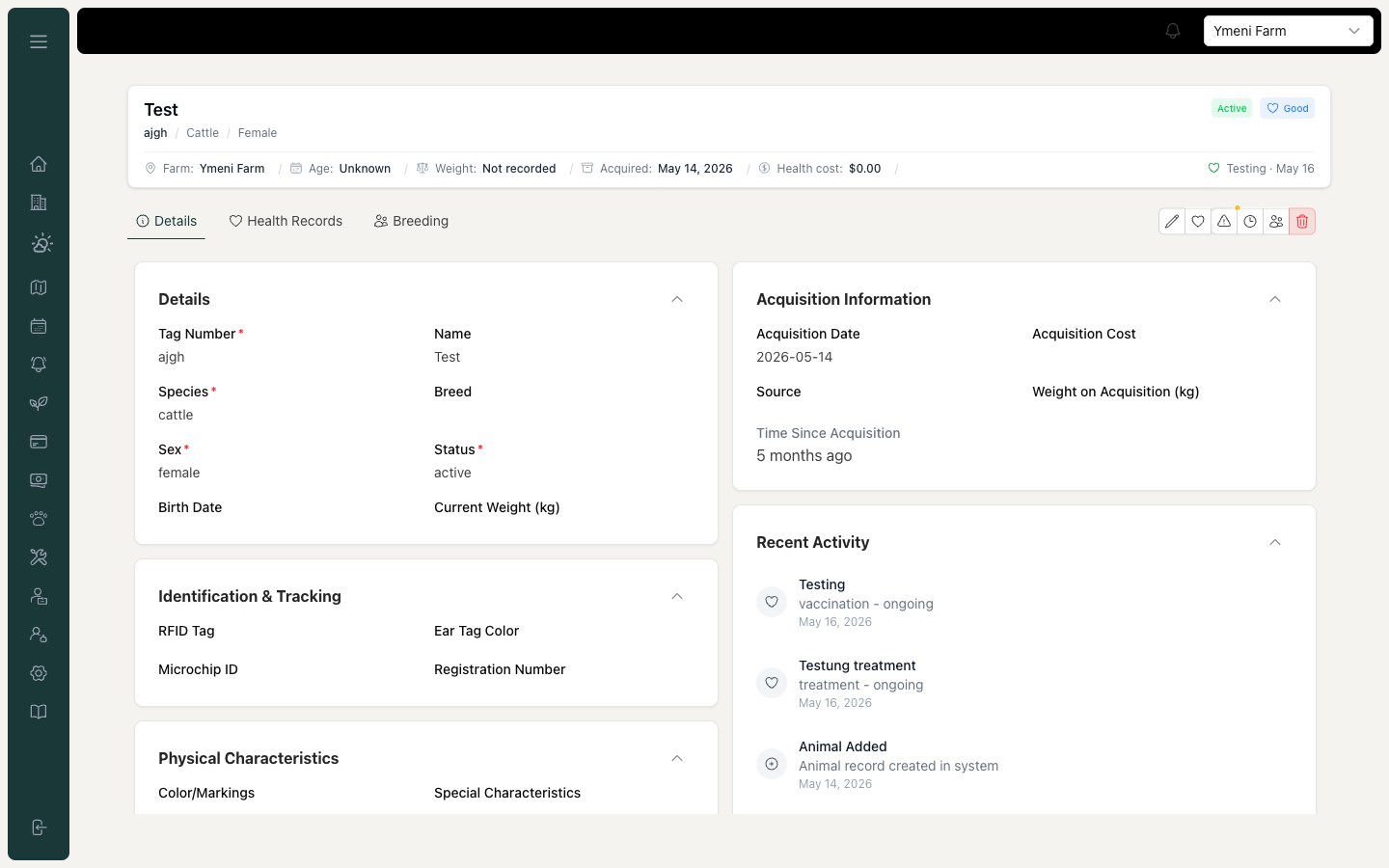
Clicking a row opens the detail view, organized into cards:
- Snapshot header — tag, photo, status, key stats.
- Identification — tag, microchip, registration numbers.
- Physical — weight, height, color, distinguishing marks.
- Acquisition — source, date, cost.
- Health overview — current status and recent records (see Log Health Records).
- Activity — timeline of events (weighings, treatments, breedings).
- Season membership — which seasons this animal is part of.
Filter and search
Use the filter bar above the animals table to narrow by:
- Entity (species/breed)
- Status
- Sex
- Date range
Attach animals to a season
- Open the season detail page.
- Use the Animals section.
- Add animals individually or via the season modal.
This lets you track per-season feed, health, and yield for a specific group.